Kispay WooCommerce Payment Gateway Integration Guide
1. Introduction
Kispay WooCommerce Plugin allows merchants to accept payments directly through the WooCommerce checkout. This guide explains how to install, configure, test, and verify payment flows.
2. Requirements
- WordPress 6.0+
- WooCommerce 7.0+
- PHP 7.4+
- HTTPS enabled
3. Installation Steps
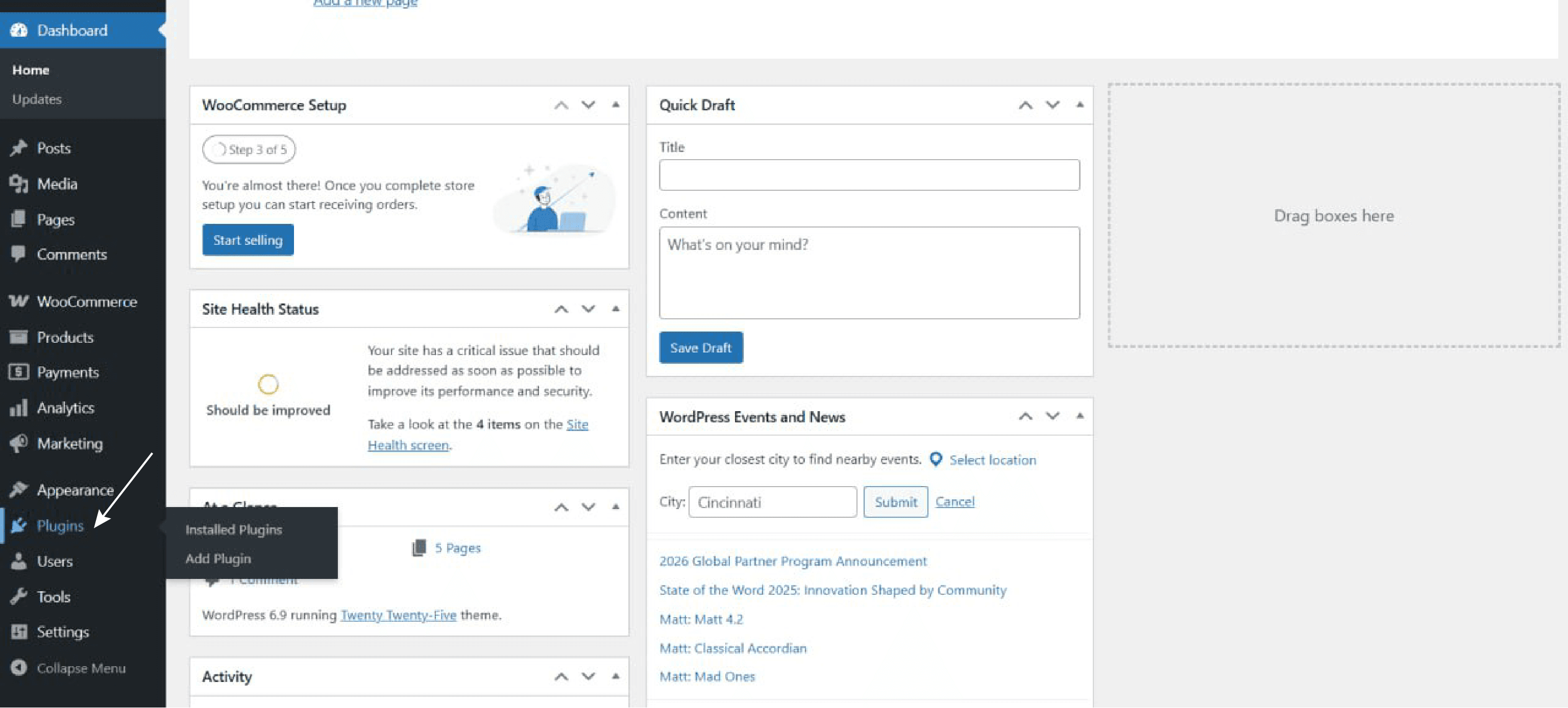
Step 1: Add Plugin
Go to WordPress Admin → Plugins → Add Plugin
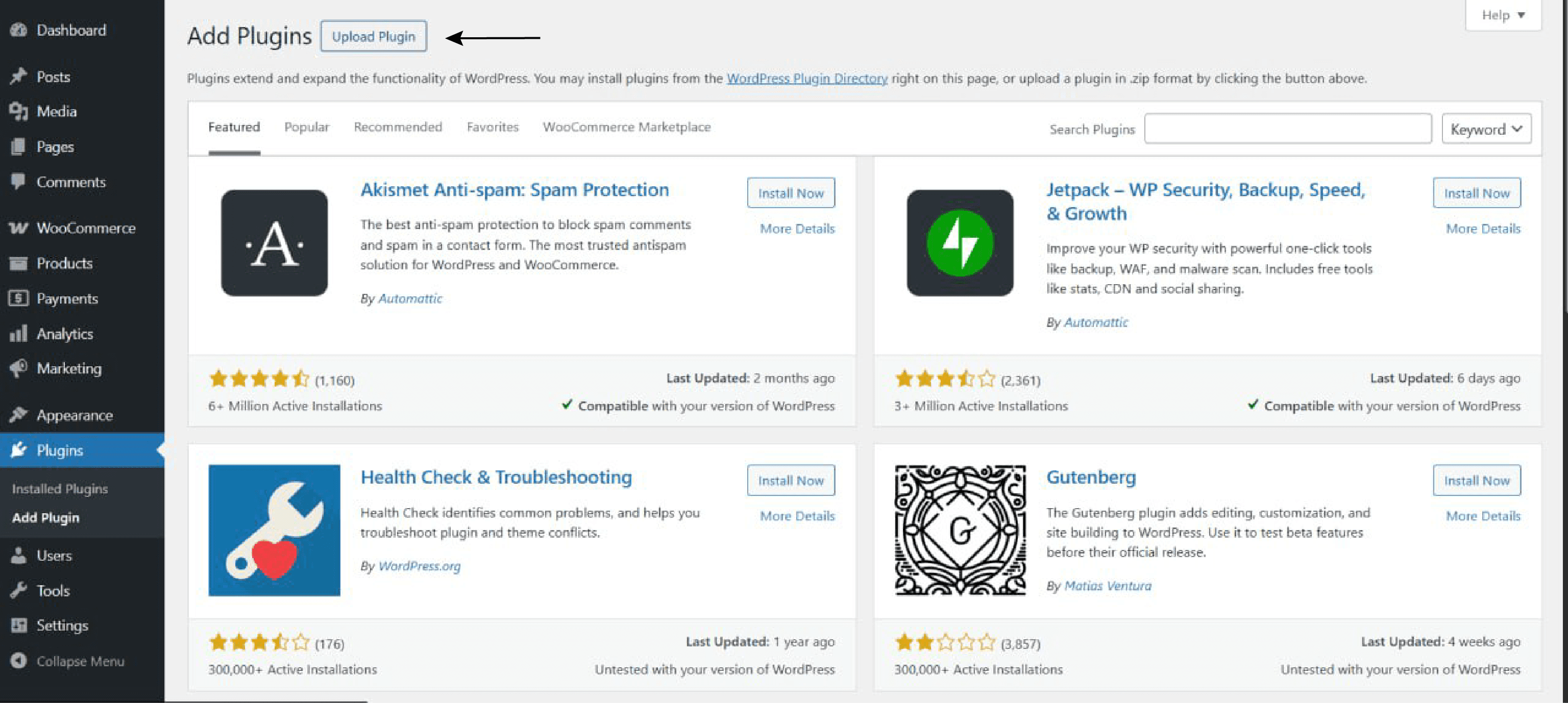
Step 2: Upload Plugin
Click Upload Plugin on the Add Plugins page.
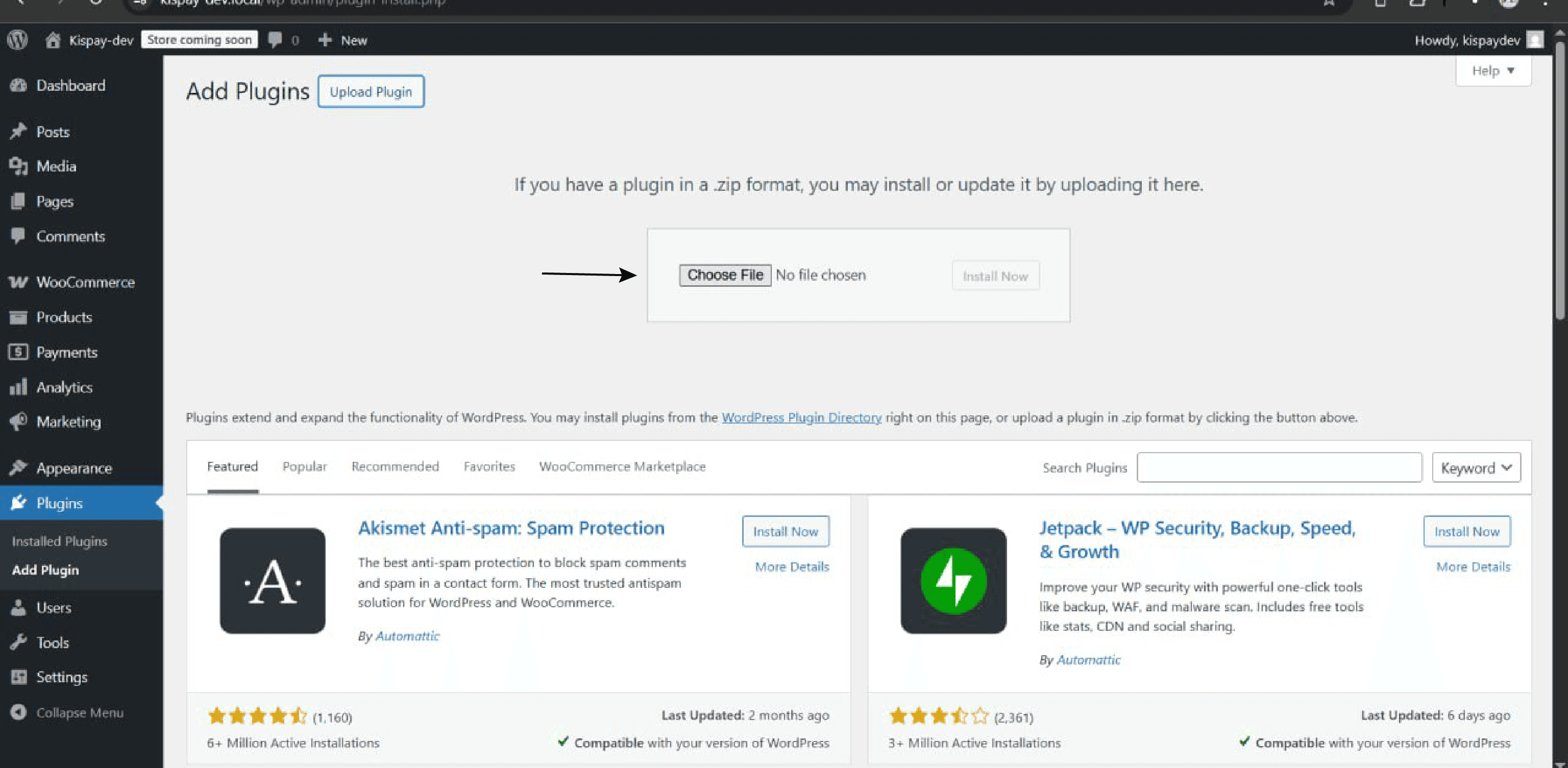
Step 3: Install Plugin
Choose the plugin ZIP file and click Install Now.
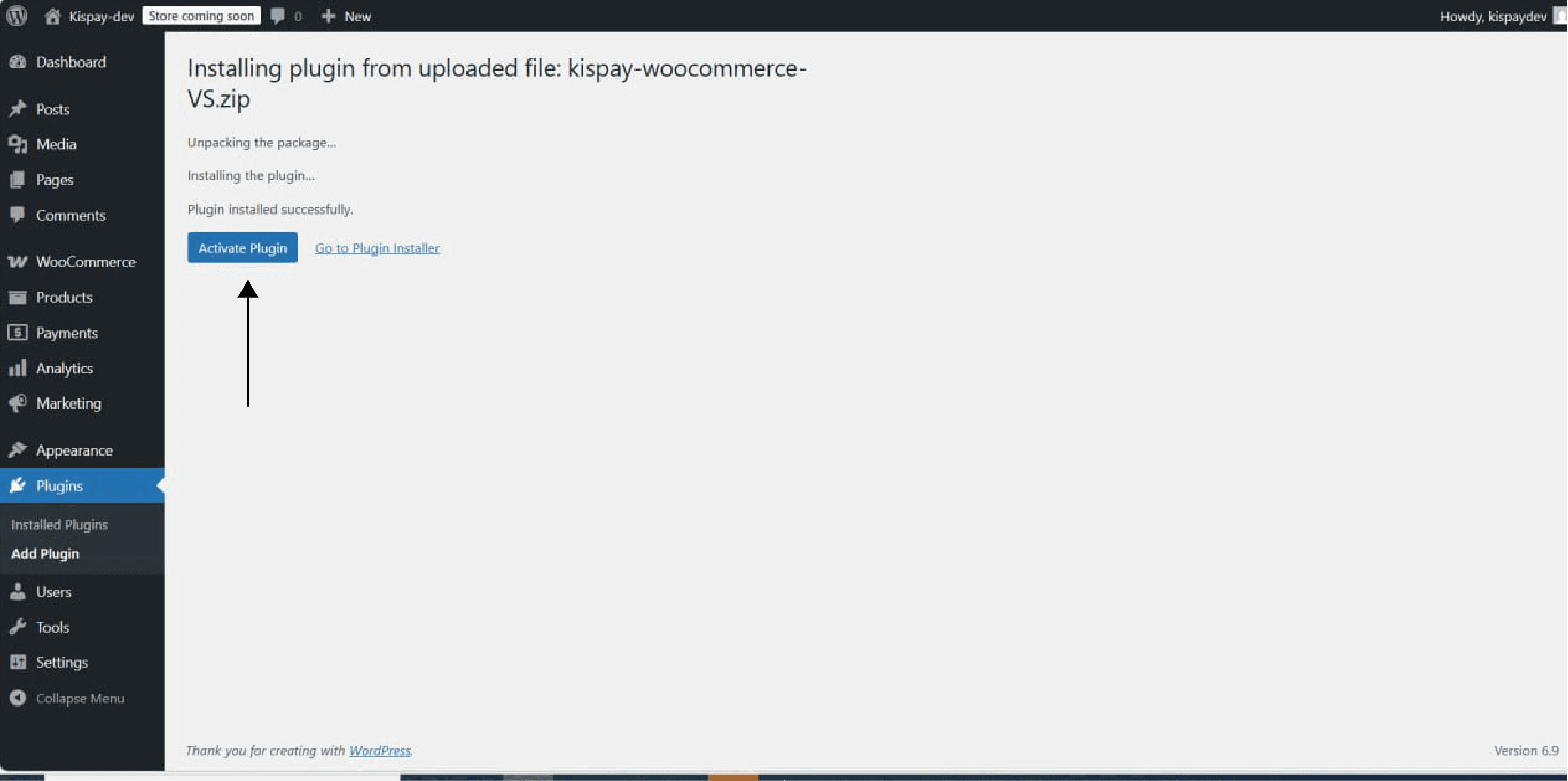
Step 4: Activate Plugin
After installation is complete, click Activate.
Step 5: Configure Kispay Settings
- Navigate to WooCommerce → Settings → Payments → Kispay
- Select Enable to activate the Kispay Payment Gateway.
- Enter API Key and Secret Key
- The plugin automatically generates a webhook URL endpoint
- Copy the Webhook URL and add it to the Kispay Dashboard to obtain the Webhook Secret.
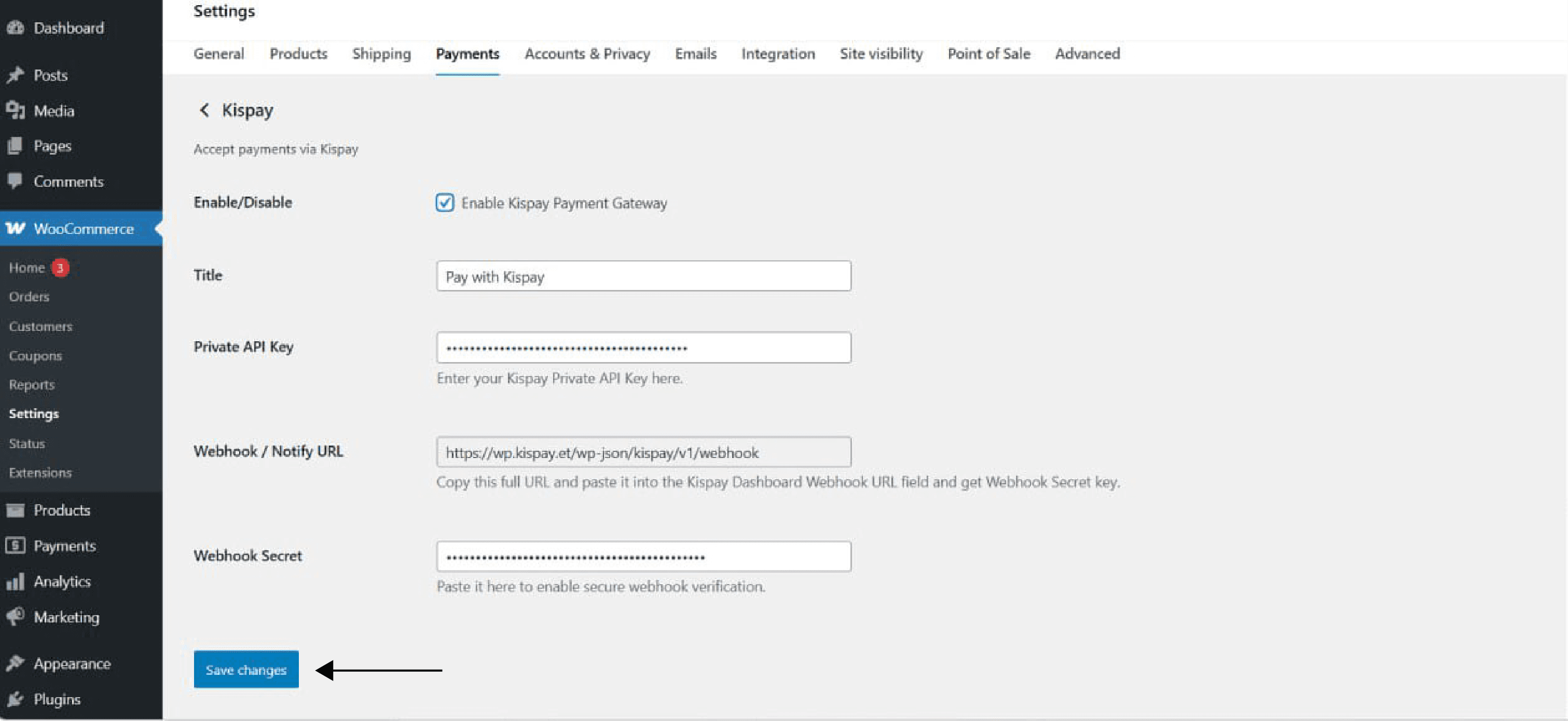
For testing, the webhook secret key is not required.
Step 6: Test Checkout Flow
- Add a product to the cart
- Select Kispay as the payment method
- Click Place Order
- Complete payment in Sandbox or Production environment
Step 7: Verify Webhook Callback
- Check WooCommerce order status updates.
- Confirm the status shows SUCCESS, FAILED, or CANCELLED.
- If you want to view Kispay logs, you can find them in WooCommerce → Status → Logs.
Ensure your webhook endpoint is publicly reachable and verifies signatures before updating order status.
4. Security Best Practices
-
keep your API keys private and secure
-
Always use HTTPS on your website
-
Do not share webhook or secret keys with anyone.
-
Validate webhook signatures using HMAC-SHA256
6. Support
For questions or issues:
- Developer Support: developers@kispay.et
- Merchant Support: support@kispay.et
- Merchant Dashboard: https://merchant.kispay.et
Following this guide ensures a smooth integration of Kispay into your WooCommerce store, giving you full visibility into the payment lifecycle and faster support for your customers.
Last updated on